


1
Set Up or Sign in to Your Service Center Account
Eligibility & Benefits is included with Service Center. Create your Office Ally account in minutes and start verifying patient coverage right away. No sales call needed.
Already an Office Ally customer? Log into your account and start verifying coverage today.
For eligibility transaction pricing, view the Service Center Data Sheet.
2
Connect to your payers
Some payers require enrollment before you can begin submitting electronic eligibility requests. Check the Office Ally Payer List to see which payers require enrollment and whether your payers are already connected. If enrollment is required, visit our EDI Enrollment page for step-by-step instructions.
3
Open Eligibility & Benefits
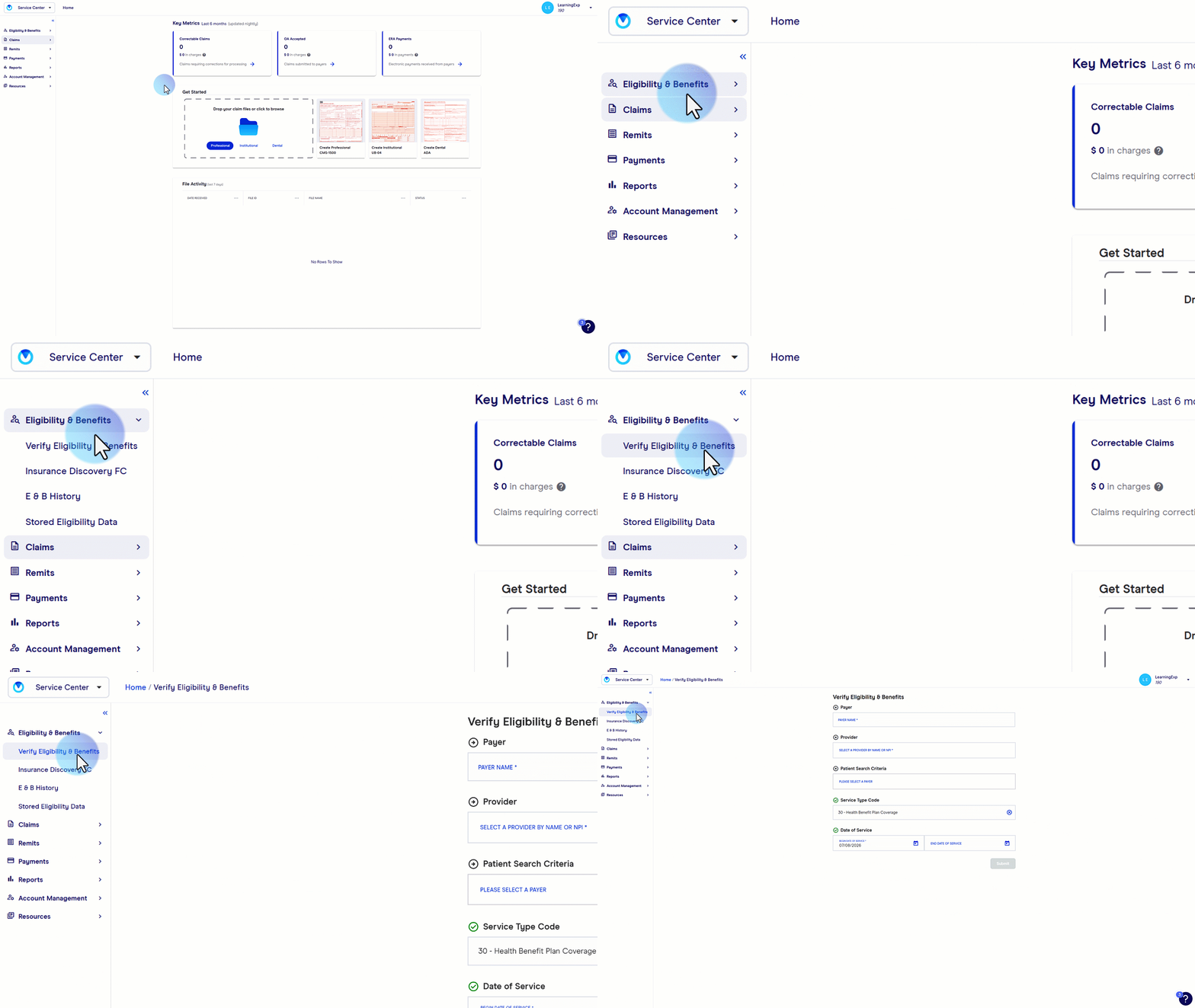
While logged into your Service Center account, select Eligibility & Benefits from the left-hand navigation menu. This opens the verification screen where you'll submit your first eligibility request.
4
Submit an eligibility request
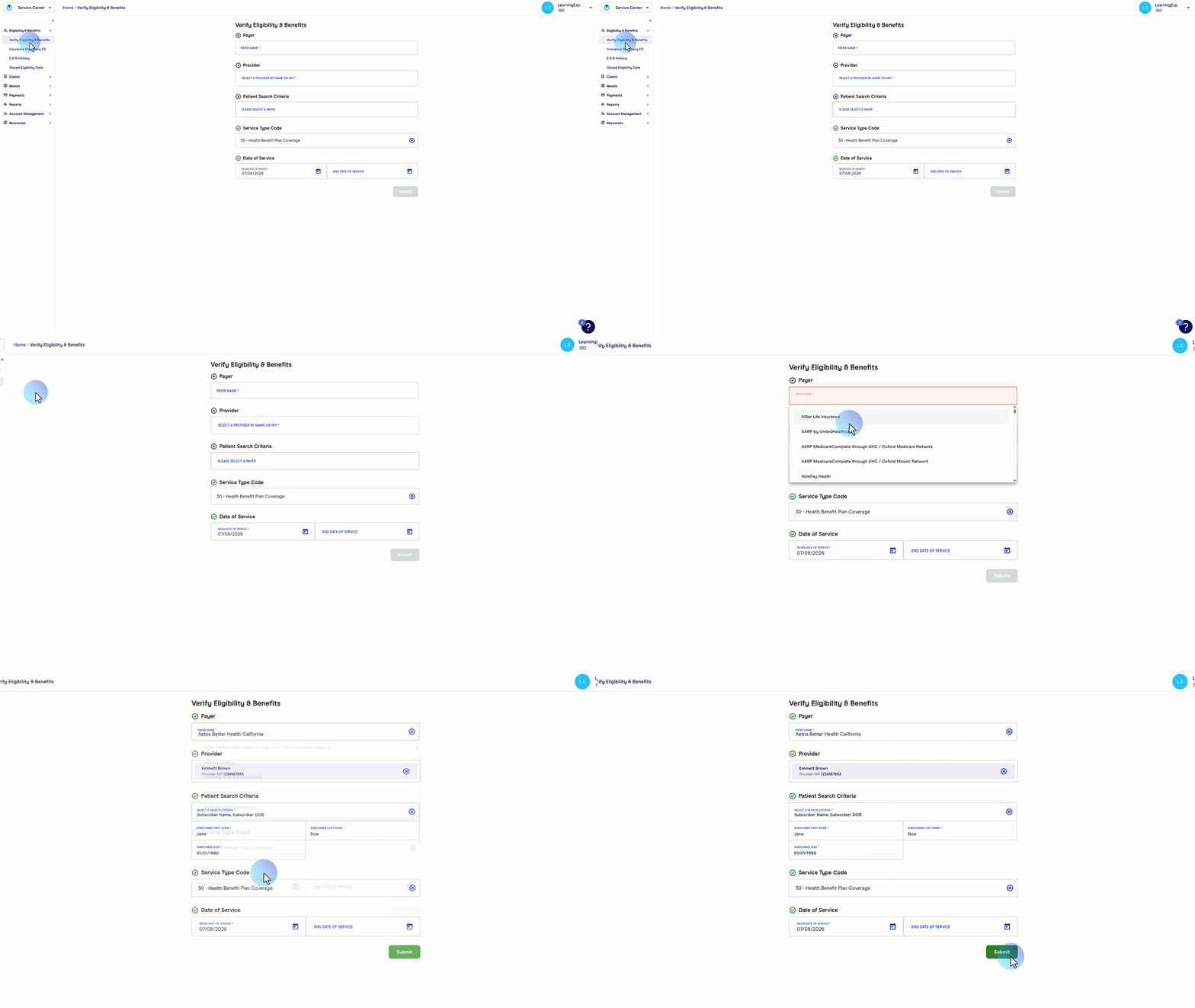
On the Eligibility & Benefits screen you'll find several fields to help return the most accurate coverage details. At minimum, have the following ready before submitting: Payer Name, National Provider Identifier (NPI) and Date of Service. Once your fields are populated, select Submit to send your eligibility request.
5
Review your eligibility results
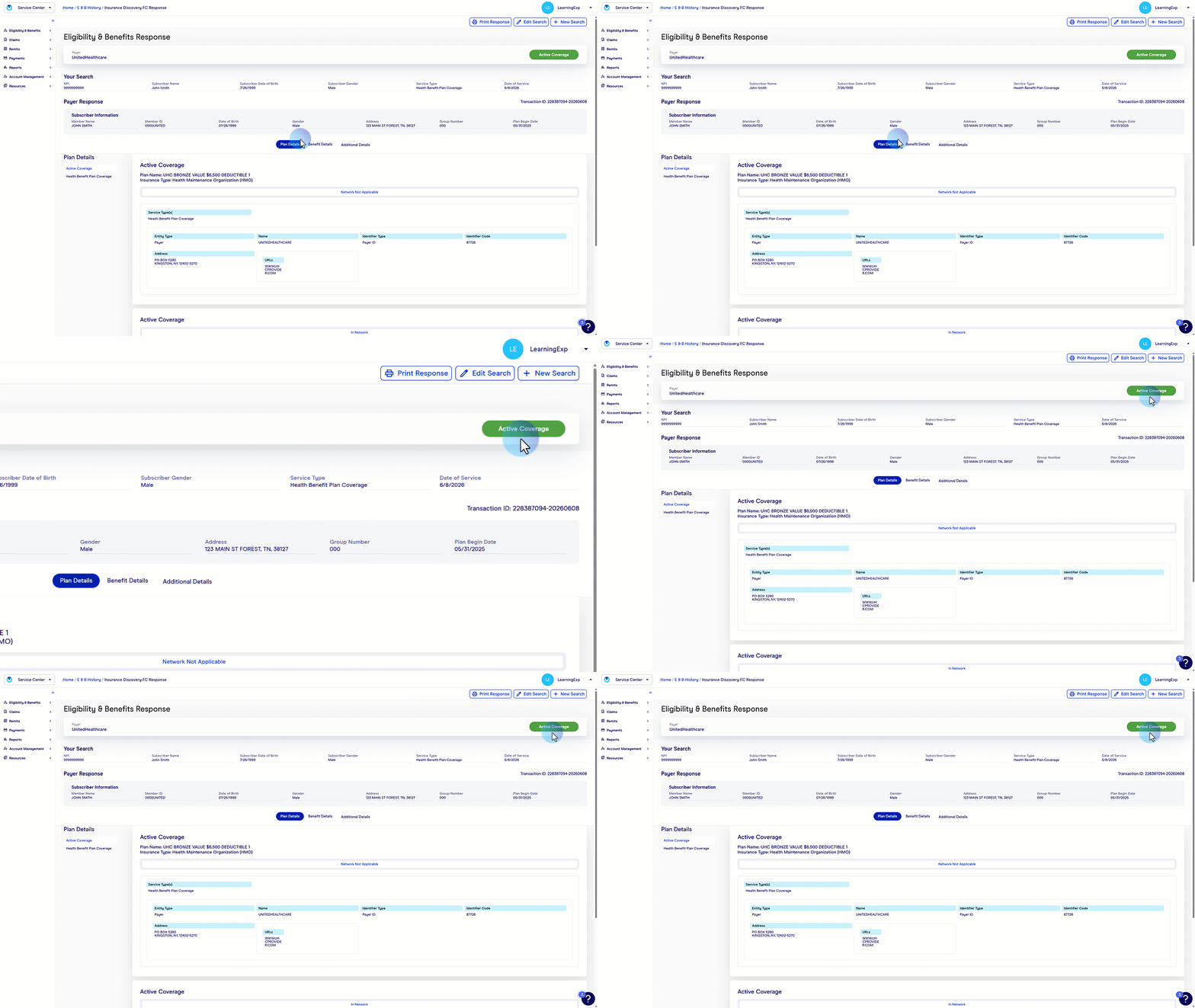
Once submitted, your eligibility results will appear on screen. Check the top right corner for a quick status summary: coverage will display as active, inactive, not found or other quick details. Keep in mind that eligibility and benefits information is returned directly by the payer, so details will vary.
For a complete walkthrough, review the Eligibility & Benefits User Guide.
Insurance Discovery FC is an optional add-on available within Service Center that uncovers active coverage patients may not know they have. For pricing details, view the Insurance Discovery FC Data Sheet.
1
Open Account Management
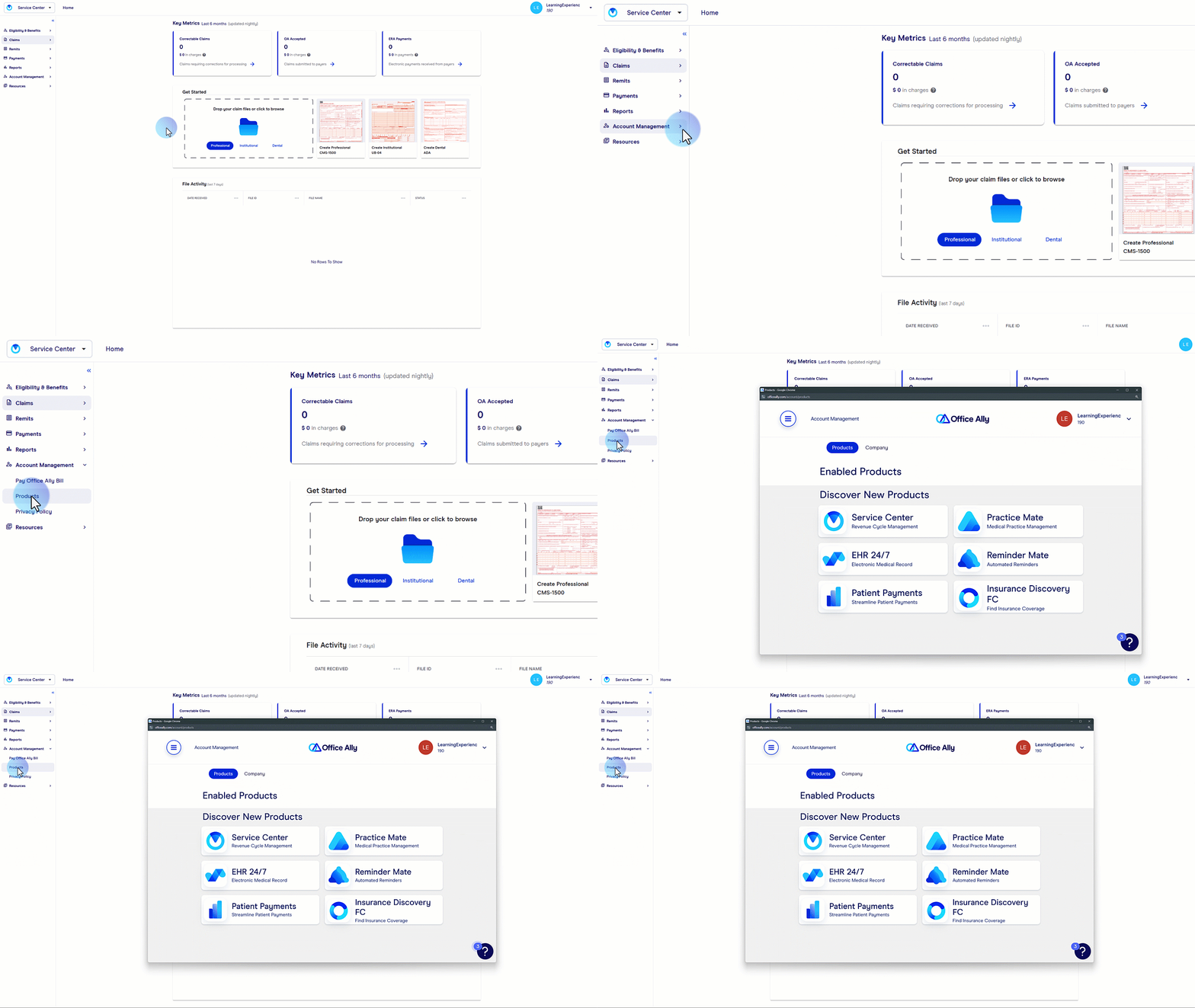
Before getting started, confirm that your Service Center account has Security Access or Admin privileges. These are required to enable Insurance Discovery FC. Once confirmed, log in and select Product from the Account Management dropdown in the left-hand navigation.
2
Enable Insurance Discovery FC
From the Products screen, select Insurance Discovery FC, then select Enable Insurance Discovery FC. Review and agree to the terms, then choose your preferred processing mode before completing activation.
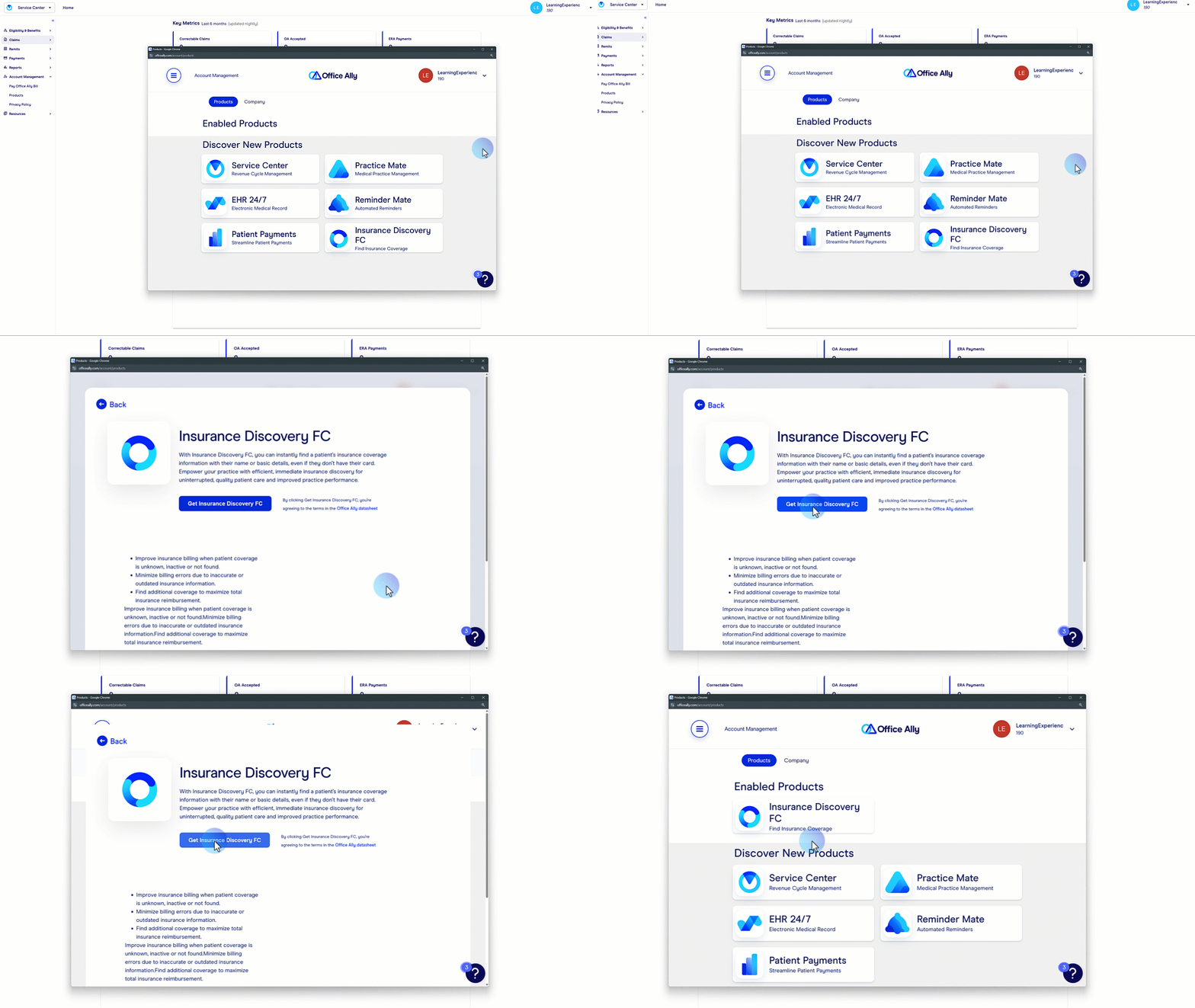
Single Inquiry Verify one patient at a time. Available immediately upon activation.
Batch Processing Upload patient files and run multiple inquiries at once. An Office Ally support representative will reach out with file upload setup instructions. You can still run single inquiries while batch setup is in progress.
3
Open Insurance Discovery FC
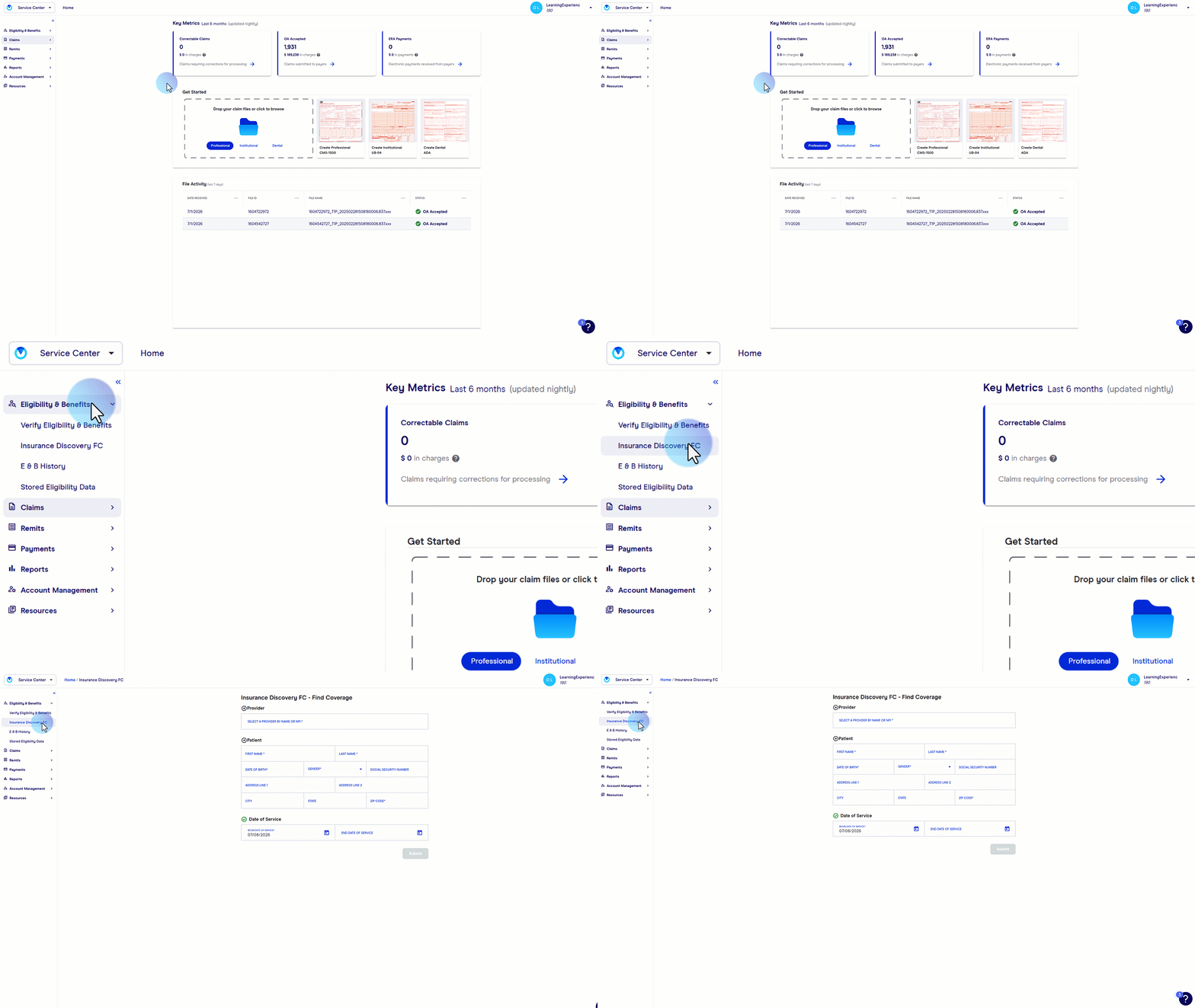
Once enabled, access Insurance Discovery FC by selecting Eligibility & Benefits from the left-hand navigation menu, then choosing Insurance Discovery FC from the submenu. This opens the Insurance Discovery FC dashboard where you'll submit your first inquiry.
4
Submit an Insurance Discovery FC inquiry
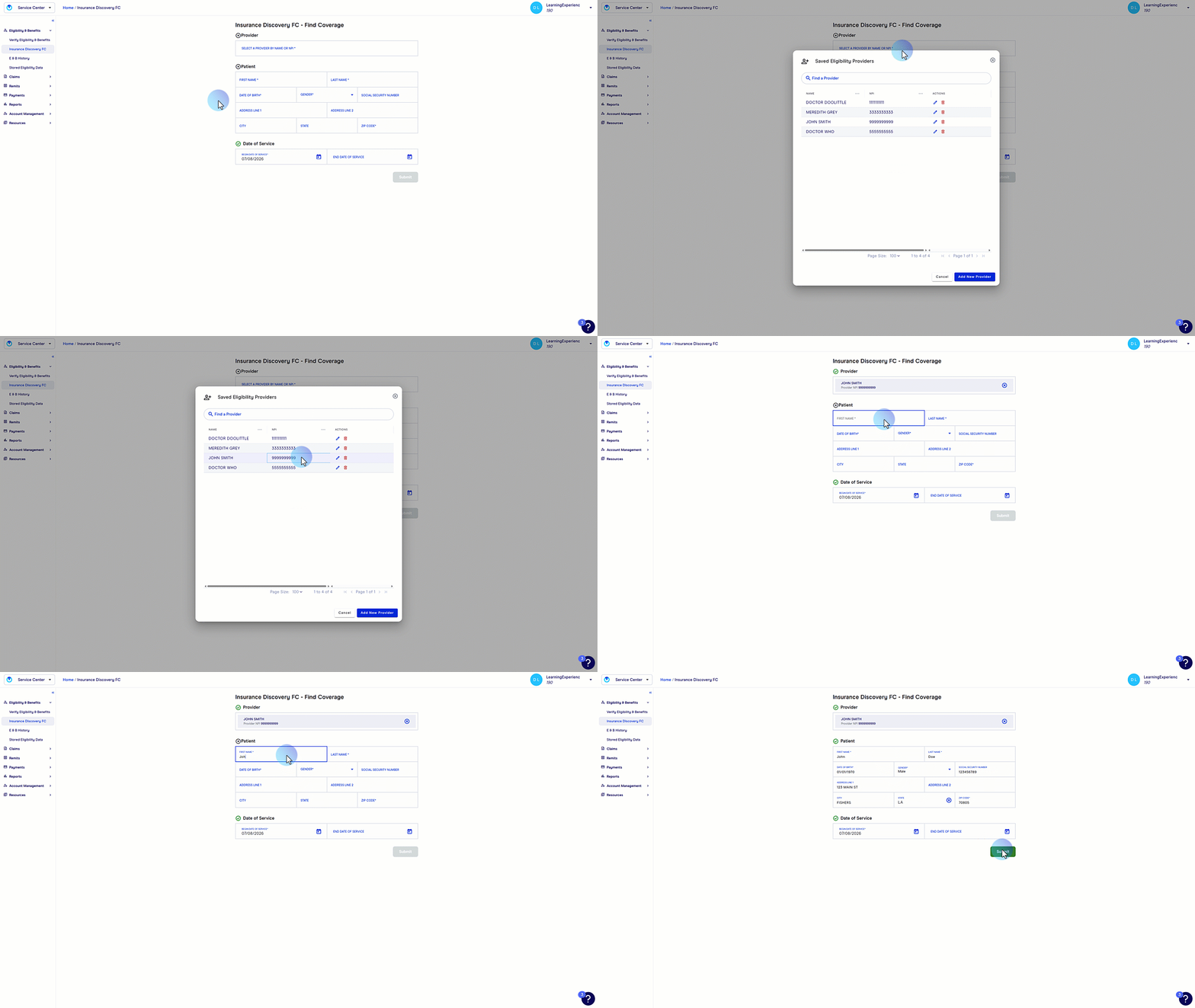
On the Insurance Discovery FC screen you'll find several fields to help return the most accurate results. The more patient information you provide, the better your match results will be. At minimum, have the following ready: NPI, patient's first and last name, date of birth, gender and date of service. Once your fields are complete, select Submit to send your inquiry.
5
Review your Insurance Discovery FC findings
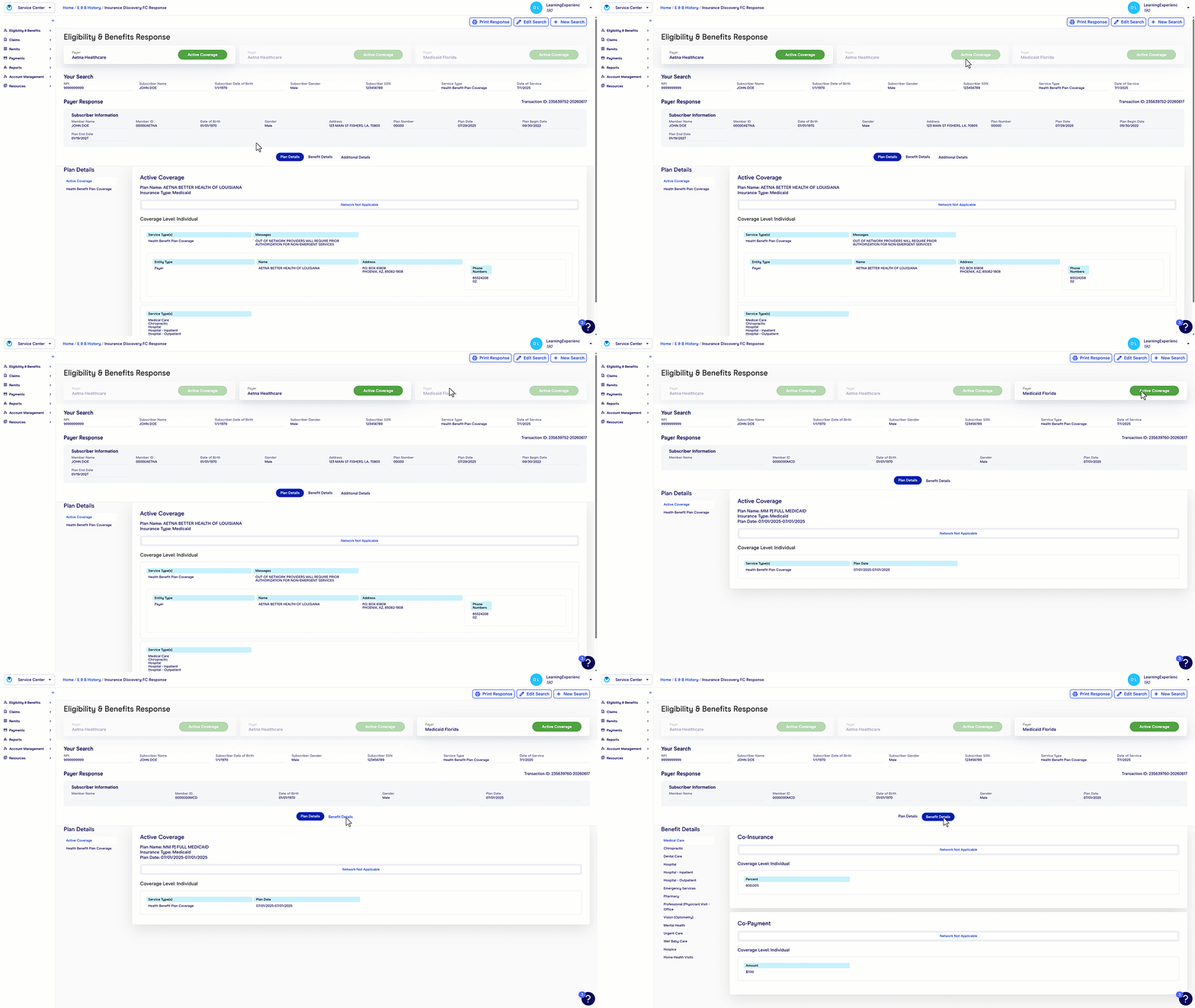
Your results will display any active insurance coverage found for the patient. Insurance Discovery FC can return multiple active policies in a single inquiry, along with any Coordination of Benefits (COB) information needed to determine which payer pays primary.
For questions or help enabling Insurance Discovery FC, contact our support team.